InterviewCoach for Android
Your experience.
Three questions.
A readable review.
You know what you built. Practise explaining the decisions behind it.
See the app in 36 seconds.
This silent screen tour uses real screens from a synthetic practice example. Captions explain each step; you can read the full text below.
Read the screen-tour transcript
- Your experience. Your next role. A focused place to practise explaining your work.
- Bring the role you want. Add your background and an intended job description.
- Three questions. Your own words. Explain the decisions behind your projects.
- Take time to think. Write an answer. Review it. Continue your practice.
- Keep AI feedback accountable. The app includes a control to report AI content.
- Read. Reflect. Practise again. Explore your review and the separate full report.
Watch the two-minute feature guide or open the vertical screen tour.
From context to feedback
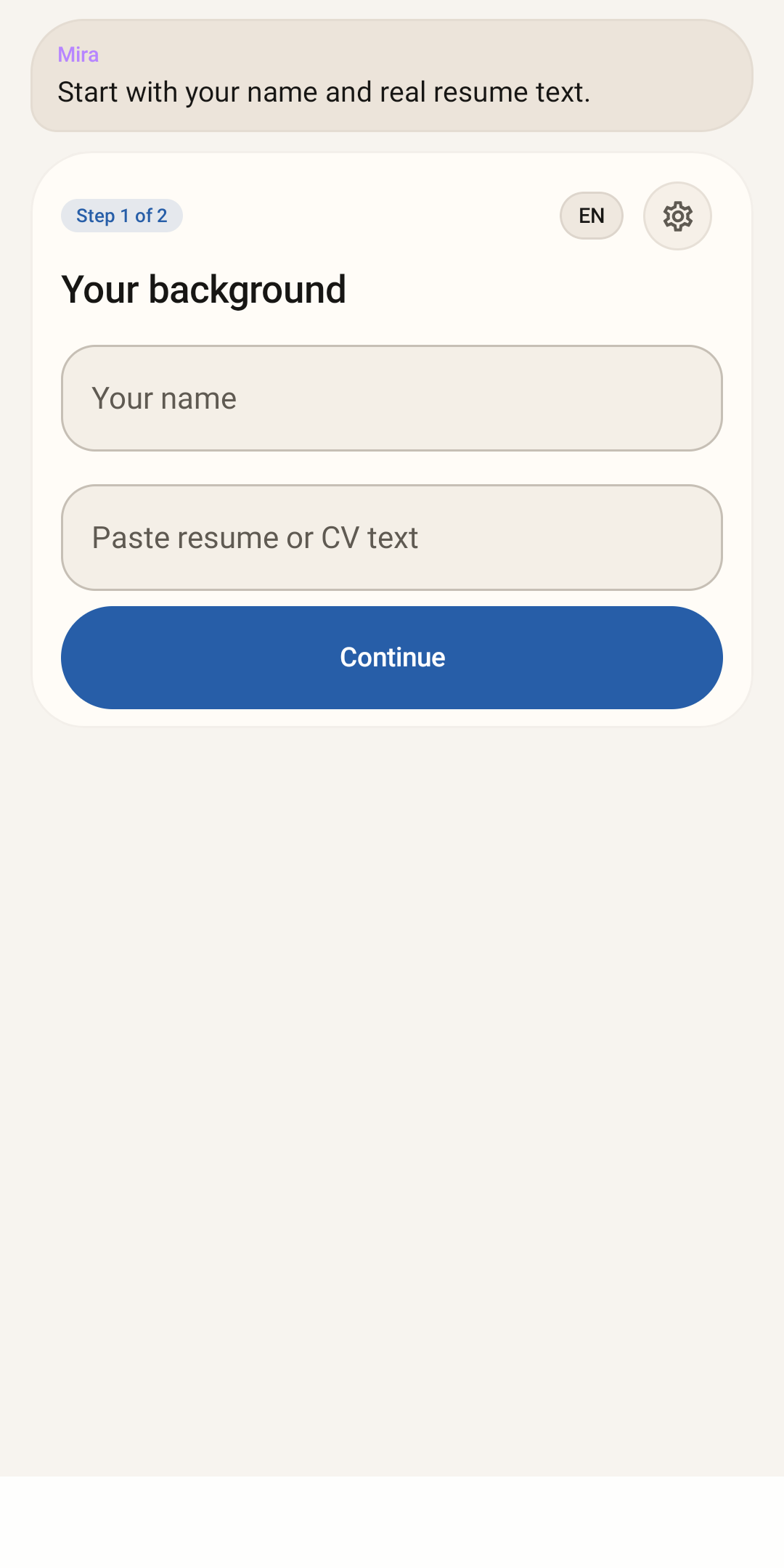
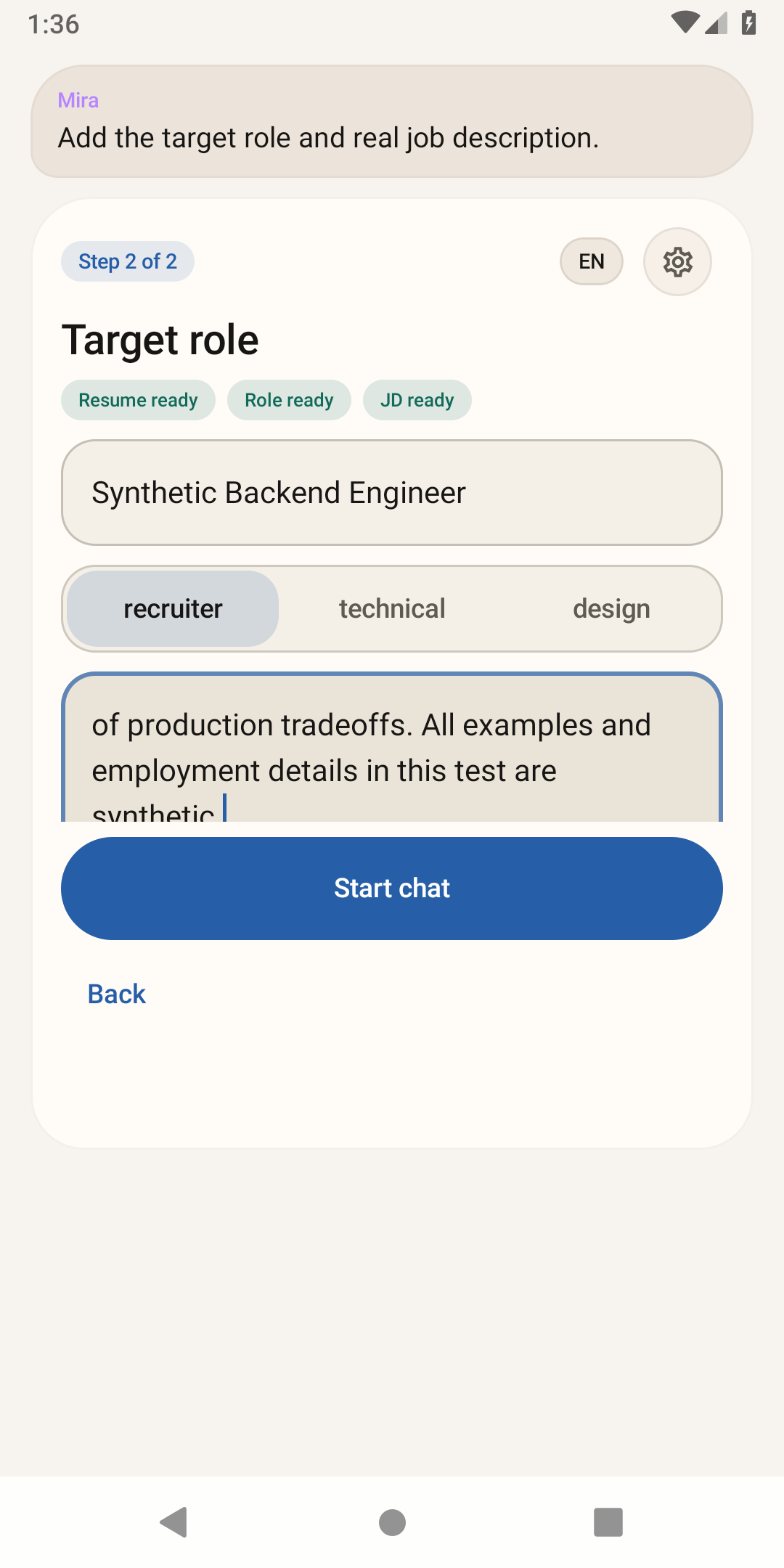
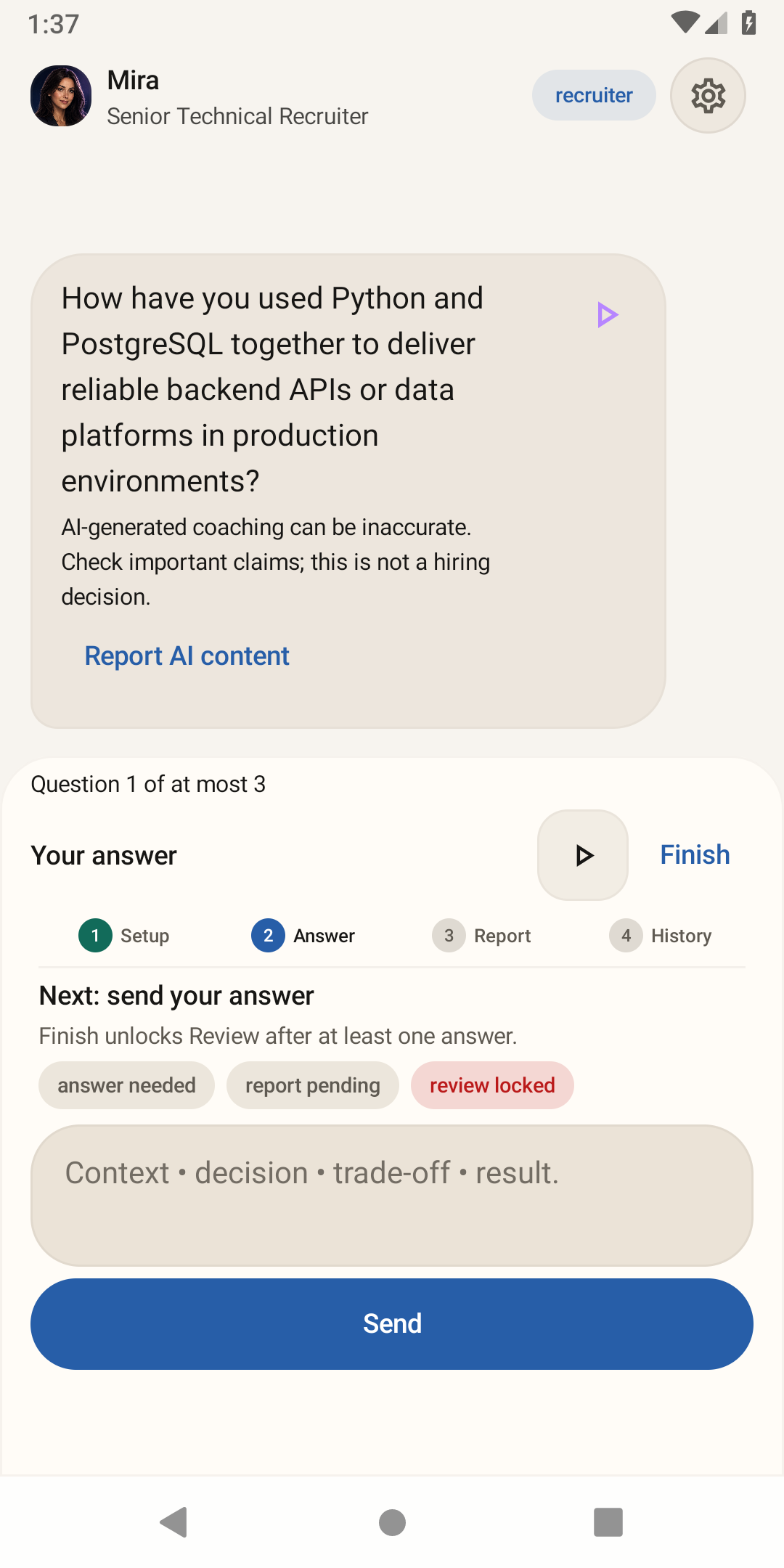
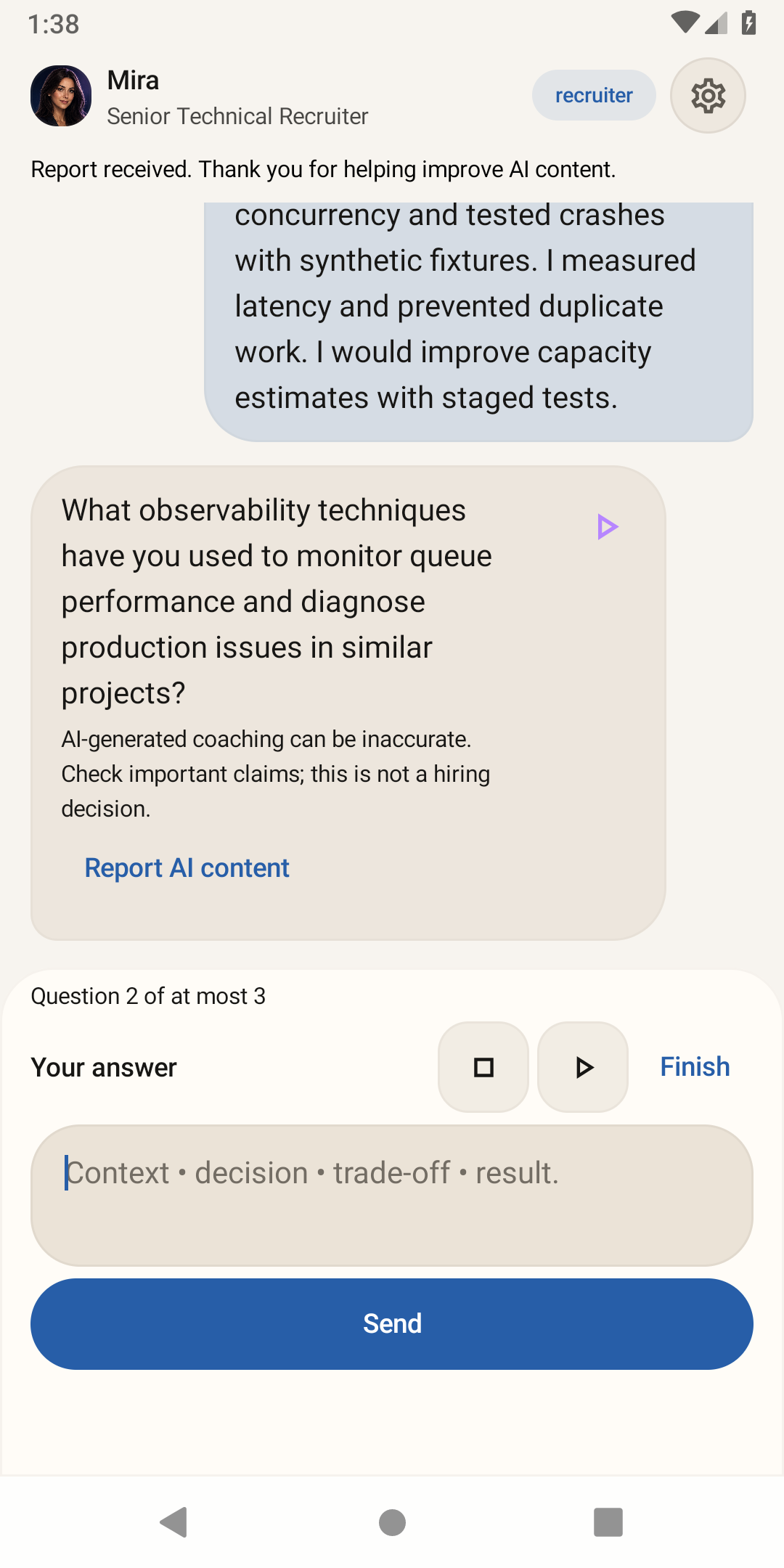
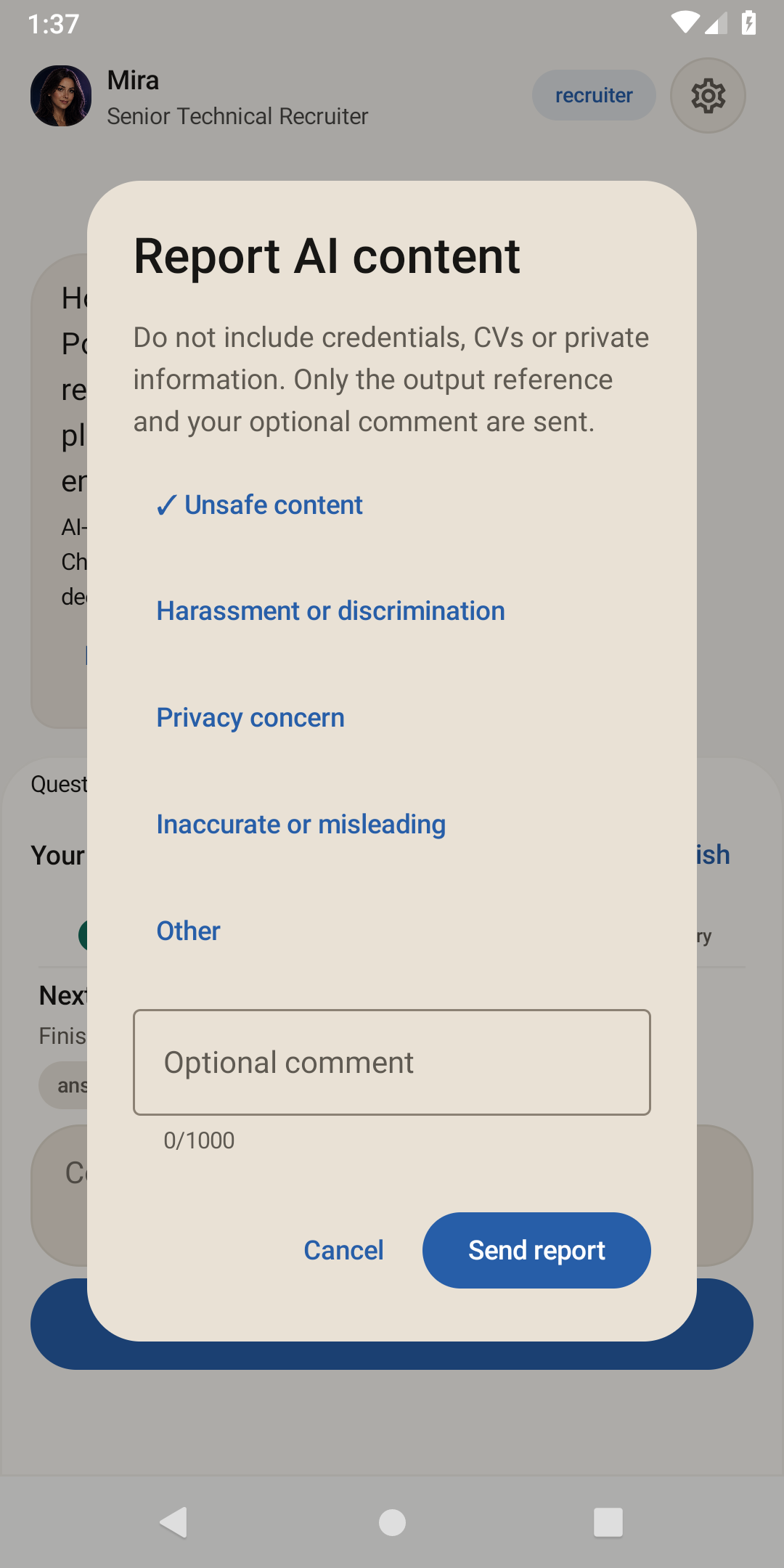
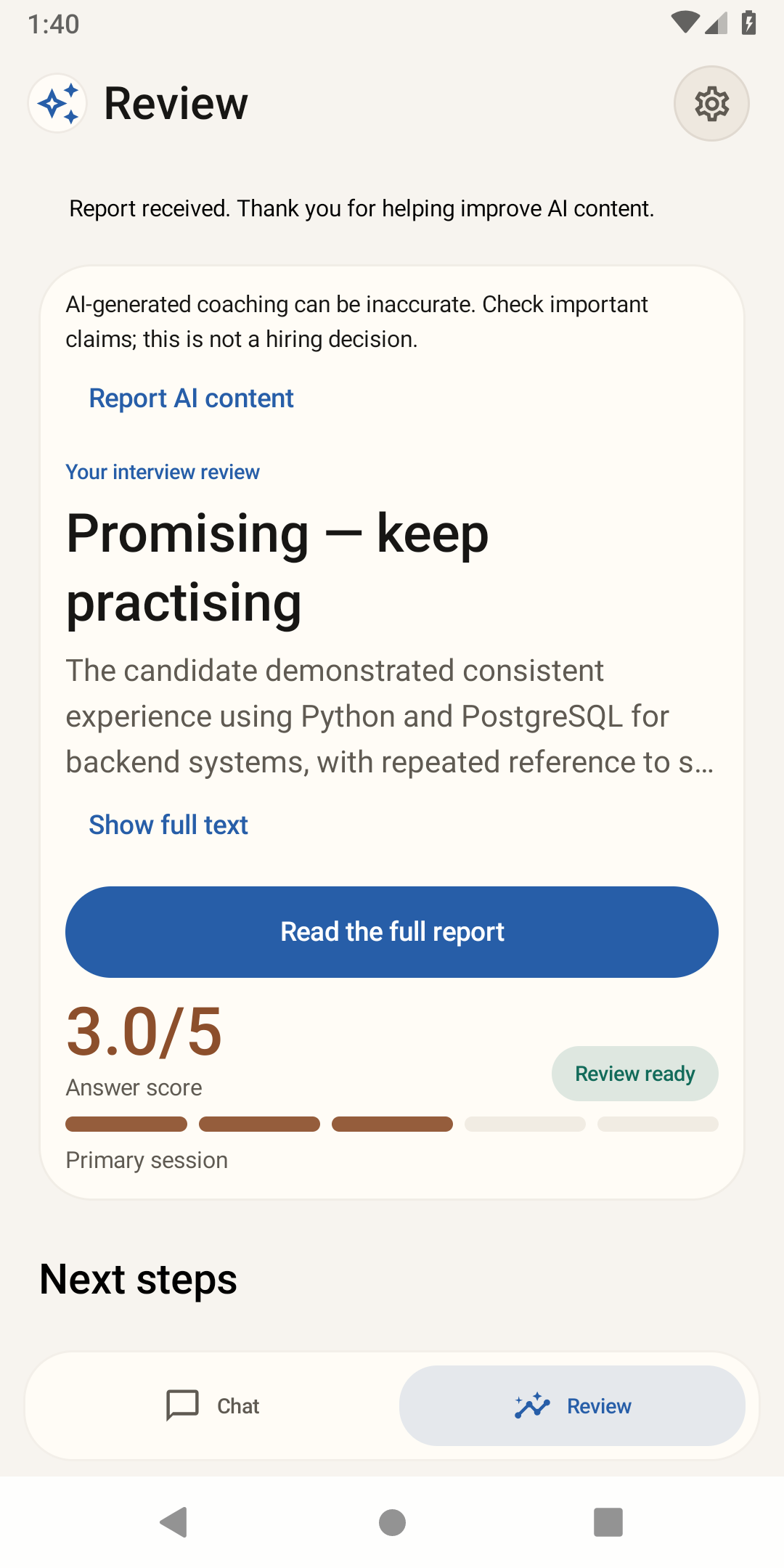
A useful next step, not a hiring promise.
Add your CV and intended role, answer up to three questions, then read strengths, gaps and recommendations. AI feedback can be inaccurate. A score is feedback on one practice session, not an employer assessment or a prediction of getting a job.
Optional question playback uses an installed offline Android voice. You can stop, replay or disable it. The app does not record microphone audio.
About these demo screens
The six unchanged screens come from the October 8 synthetic QA journey on version code 19 / 0.3.0-rc2, using the actual upload-key-signed release on an API28 emulator. The videos are edited screen-capture tours, not live interaction recordings or a new founder interview. The example is fictional, not a customer testimonial or hiring result.
This is not evidence of a Play-delivered installation, physical-device audio, TalkBack, API35/36 compatibility or a 16 KB device run. The unfinished founder recording is not included.
What was unclear? Tell us the screen and what you expected at cs@sell.systems. Please do not send credentials or confidential interview content.
Building an AI product for your business? Read the implementation case.